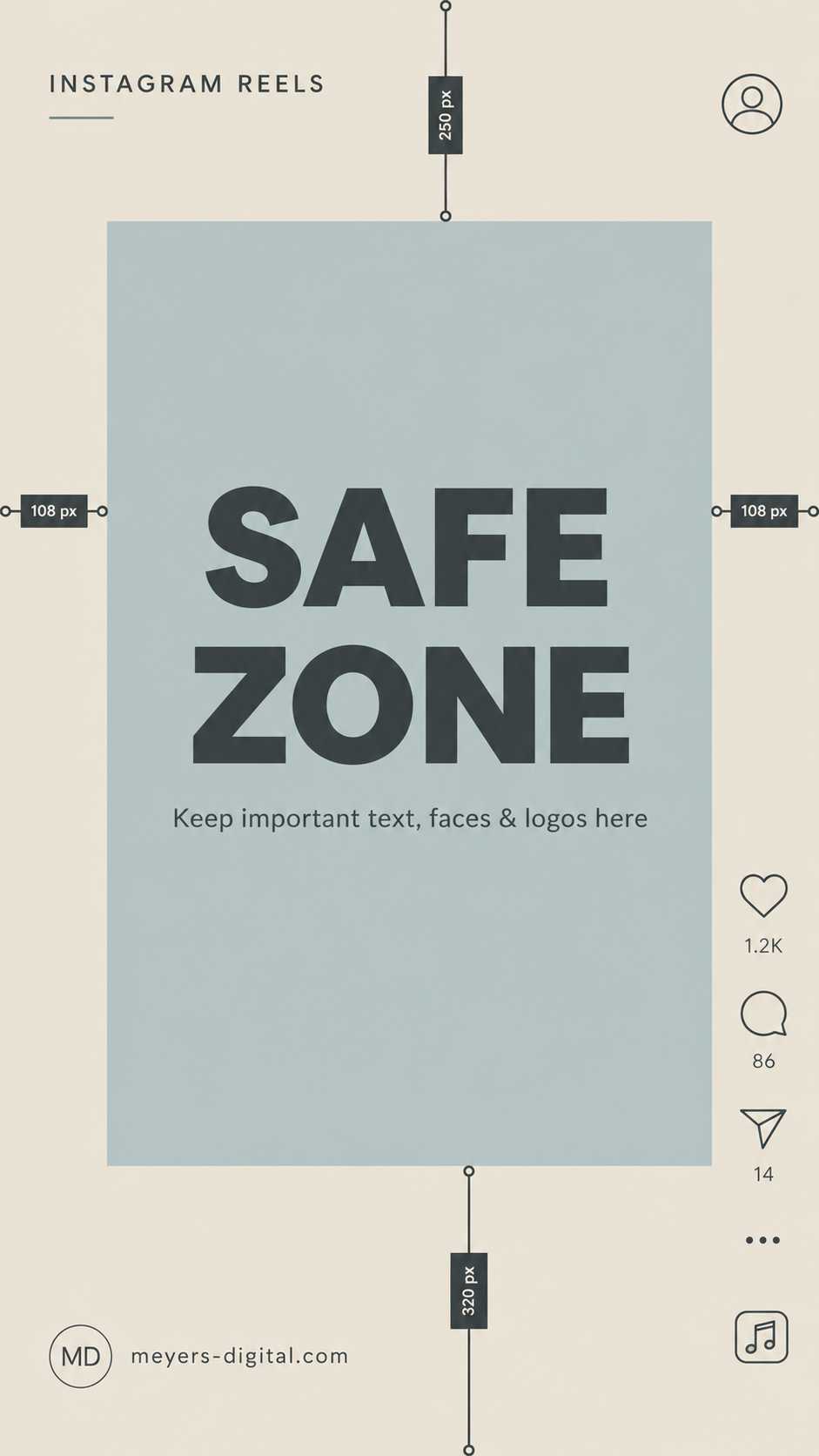
Creating a great Instagram Reel takes more than filming in the right dimensions. If important text, faces or logos are placed too close to the edges, Instagram’s buttons, captions and profile information may cover them.
That is why every creator and business should use an Instagram Reel safe zone template when designing video content.
What is the Instagram Reel Safe Zone?
Instagram Reels use a vertical 9:16 aspect ratio, typically designed at 1080 × 1920 pixels. However, Instagram places interactive elements around the edges of the screen, including the caption, username, engagement buttons and audio information.
Meta recommends keeping the top, bottom and sides of vertical creative free from important elements so they remain visible across placements.
The center of the Reel is the safest place for:
Headlines and captions
Faces and products
Logos and branding
Calls to action
Other important visual details
How to Use an Instagram Reel Safe Zone Template
Place the safe zone template over your video while designing in Canva, Adobe Express, CapCut or another editing program. Keep essential content inside the highlighted center area.
Before exporting the Reel, remove or hide the template layer.
This simple step helps prevent text from being cut off, covered by Instagram’s interface or difficult to read. It also gives your Reels a cleaner, more professional appearance.
Save this Instagram Reel safe zone template and use it whenever you create vertical video content.
Need help creating branded social media content or managing your digital marketing? Schedule a free consultation with Emma.